Transform your AI-generated concepts into game reality. Convert designs from any AI platform to functional game components with 94% time savings.
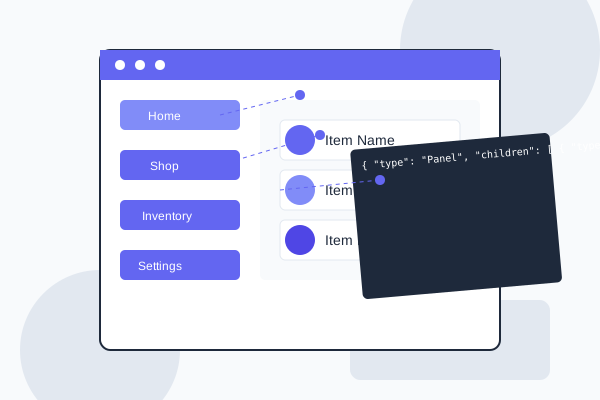
Our platform supports all major AI design tools and game engines
Our streamlined workflow takes you from AI output to game-ready components
Upload your AI-generated image or code from any supported platform.
Our AI identifies UI components, extracts assets, and determines relationships.
Fine-tune the detected components, hierarchy, and properties as needed.
Generate engine-specific files or universal JSON for implementation.
Seamlessly implement UI components in your preferred game engine
Our primary focus with specialized optimizations for Cocos Creator prefabs and components.

Comprehensive support for Unity UI components with customized export options.

Experimental support for Unreal Engine widgets with growing capabilities.

See the before and after of AI designs converted to game engine components
 Before
 After
After
 Before
 After
After
 Before
 After
After
 Before
 After
After
Hear from game developers who have transformed their workflow
"The AI to Game Engine Conversion Hub has completely transformed our UI implementation process. What used to take days now takes minutes, and the quality is consistently high."

"Being able to go from Midjourney concepts directly to Cocos Creator prefabs has cut our UI development time by 90%. The component detection is incredibly accurate."

"The HTML/SVG to game engine conversion has been a game-changer for our team. We can now prototype in web tools and convert directly to our Unity project."

Find answers to common questions about our AI conversion tools
Our AI component detection achieves over 94% accuracy across various UI styles and designs. The system is continuously trained on game UI patterns to improve detection quality. For complex or unusual designs, our interactive editor allows you to make adjustments as needed.
Yes, our platform includes a comprehensive editor that allows you to adjust component properties, hierarchy, and relationships before exporting to your game engine. You can also save custom presets for future conversions.
We support PNG, JPG, WebP, and SVG for image inputs. For code-based inputs, we support HTML, CSS, SVG, and JSON formats. You can also directly paste URLs from supported AI platforms.
We offer plugins for Cocos Creator and Unity that integrate directly with your development environment. For other engines, you can use our universal JSON format and asset export options. We also provide API access for custom integration with your pipeline.
Simply sign up for a free trial to access all conversion tools. You can immediately start uploading AI designs and converting them to your preferred game engine format. Our guided workflow will help you through each step of the process.
Start Free TrialJoin thousands of game developers who are saving time and improving quality with our AI conversion tools.
No credit card required. Full access to all features during trial.